Add Google reviews to Elementor
Show your Google reviews on an Elementor page: find your business in the builder, then paste one snippet into the free HTML widget.
The builder is ReTestimonial's. You need a free account there to get the code.
Find your businessLoading the builder…
Builder not showing? Open it on ReTestimonial
Before you start
What Elementor asks for.
- The free version of Elementor is enough. The HTML widget is not one of its Pro widgets.
- Elementor limits its HTML widget to administrators, because the widget can run scripts. Elementor says an administrator can change that in its Role Manager.
Add the reviews to Elementor
Steps last checked on 3 October 2026.
- 1Find your business in the builder above, choose how the widget looks, create the free account and copy the snippet.
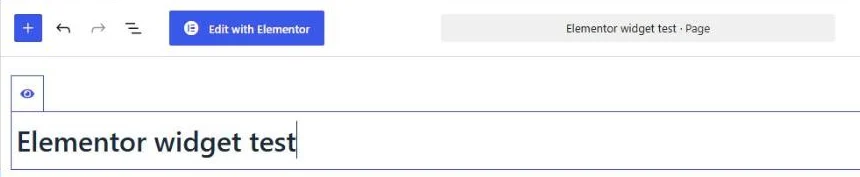
- 2Open the page in WordPress and click Edit with Elementor.
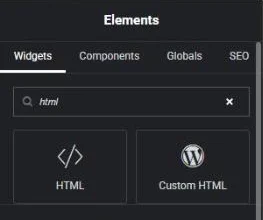
- 3In the Elements panel, type html into the search field. Click the HTML widget, or drag it to where the testimonials should appear.
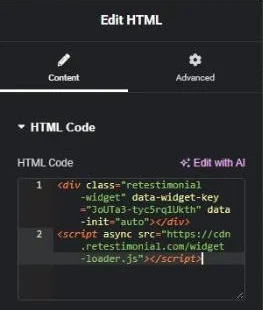
- 4Paste the whole snippet into the HTML Code field. Both lines go in, the script line too.
- 5Click Publish. To keep the page private for now, open the arrow beside Publish and choose Save Draft.
What to expect
- The widget shows inside the editor a moment after the snippet is pasted. In the test, changing the code afterwards left an empty box in the editor until the editor was reloaded. The page itself showed the widget.
- Elementor has a Testimonial widget of its own, which shows one quote that you type in. Its Testimonial Carousel is listed among Elementor's Pro widgets, and a search for “testimonial” in the free editor finds only the first.
Google reviews on Elementor: what works
Give the reviews a container of their own
Drop the HTML widget into a container or section that spans the width of the page. In a narrow column beside other widgets, a carousel has room for one review at a time.
Elementor's Testimonial widget is for quotes you type
Elementor's own Testimonial widget shows one quote that you type in. To show reviews with it, you would copy each one across by hand. The builder above reads the reviews from your Google listing instead, with each reviewer's name and stars.
Judge it on the page, not in the editor
After a change to the snippet, the editor can show an empty box until it is reloaded. Open the page's preview to see the reviews, and look once in a private window, as a visitor who is not signed in to WordPress.
What the free plan covers
ReTestimonial's free plan brings in up to 25 Google reviews at a time, from 1 location, and shows a small “Powered by ReTestimonial” badge. You do not sign in to Google: you find your business by name, and the builder reads its public reviews.
Which reviews show, how new ones arrive and what the paid plans add are answered on the Google reviews widget page.
How these steps were checked
Tried with the free version of Elementor 4.3.3 on a self-hosted WordPress 7.1 site: the widget showed in the editor and in the preview of a draft page. The page was not published.
The steps were checked for a testimonial widget from the same builder. A Google reviews widget goes onto the page with the same kind of snippet, so the steps do not change.
- Elementor Help Center: HTML widget
- Elementor Help Center: Testimonial widget
- Elementor Help Center: Testimonial Carousel widget
Website builders rename things. If a label here no longer matches what you see, tell us.
Google reviews on other website builders
Collected testimonials yourself rather than on Google? Add a testimonial widget to Elementor